La Mesa RV: CRM mobile app
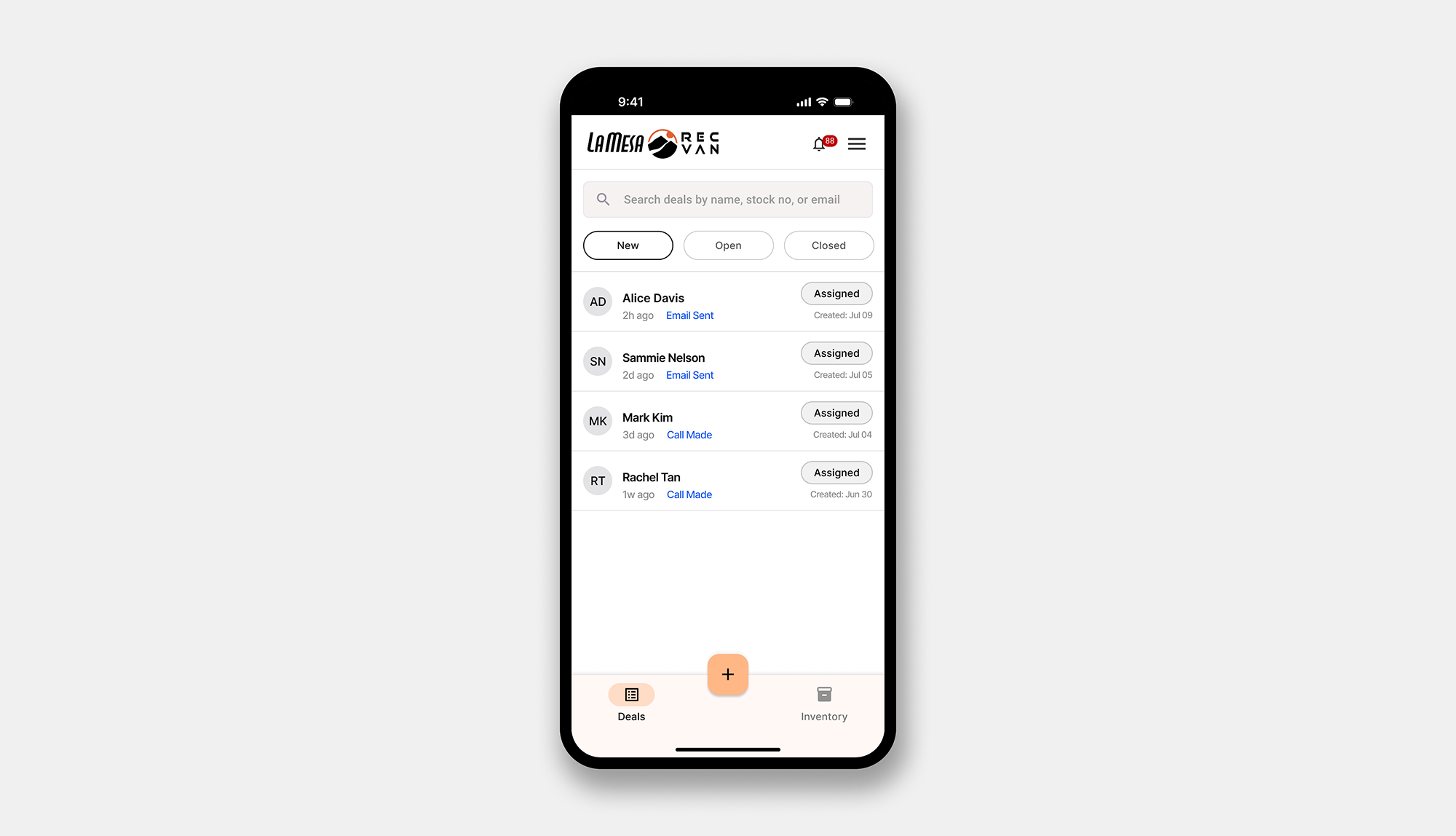
Impact: Faster lead and email creation, 11 locations launching in waves, 100+ sales reps on the platform.
La Mesa RV runs 11 dealerships nationwide. Sales reps were using a mix of DealerSocket, personal apps, and pen and paper. Data was dispersed with no central tracking. Microsoft Dynamics was mandated as the system of record. Its mobile app existed, but it was a desktop mirror.
Due to NDA, specific data and details have been omitted and visuals have been obscured.
The problem
Most reps are experienced, older, and prefer pen and paper. Microsoft Dynamics is a powerful desktop CRM. When converted to mobile, everyday accessible features got buried in long flows, text was too small, and harder for a rep to move fast on deals.
The old app buried simple flows inside complex navigation. Features reps never needed competed for space with the ones they used every day.
System
I ran stakeholder interviews with sales reps, GSMs, and the tech team. Three patterns surfaced: they couldn't find what they needed, creating a deal took too long, and inventory access was missing entirely.
I mapped Dynamics CRM, Salespoint for manager and finance handoffs, and DealerSocket.
I owned about 90% of IA decisions. The two-tab structure of Deals and Inventory was driven directly by how reps move through their day.
Design System
The constraints were fixed: Uno Platform for cross platform delivery and Material Theme as the design system. I built a component library covering every state, from tags and deal buttons to timeline entries and edge cases like missing unit images.
For a rep using this in 10 second windows on the lot, familiarity is a feature. Design energy went into hierarchy more than aesthetics.
Deal stages
Reps could not tell what stage a deal was on. On the old app the stage was buried two levels deep in a dropdown. I moved it to the topmost position on every deal screen using terms reps already knew.
Colors are used as visual cues and each stage shows a contextual message telling the rep exactly what is happening and what to do next. The progressive design lets reps focus on what is active without losing sight of where the deal is headed.
Deals list
The original Dynamics list was a dense table with small text and no hierarchy. Reps with 30+ active deals stopped using it.
I rebuilt it as a card layout surfacing three things per deal: customer name, vehicle of interest, and current stage. Stage filter chips let reps work one phase at a time without scrolling through everything.
Last activity recency surfaces stale deals automatically. Managers get the same component with one addition: the assigned rep column. Same design, role appropriate, without a separate experience.
Quick create
At trade shows and walk ins, reps had seconds before a customer moved on. The old flow required 8+ mandatory fields and leads were missed constantly.
I interviewed reps to find the minimum they actually write down and reduced the form fields. A floating plus button lives on every screen, one tap opens a bottom sheet, and the lead is captured and logged instantly.
Inventory
Matching a customer to a unit, then linking it to a deal, was a multi-screen journey. Reps were starting from the RV, not from the customer. I rebuilt it as a single search-to-link flow with Tag to Deal action directly on the card.
Reps can also link inventory units straight from the email composer. Selected units attach as links, logged against the deal automatically.
Dynamics desktop handled email well. On mobile the flow was buried deep in navigation. I designed a template library built into the subject field and wrote the structure and merge field placement.
I built a full compose experience with CC, BCC, recipient search from CRM contacts, file attachments, and inventory unit linking. Every email logs in the deal timeline automatically.
Reflection
This was one of the most complex systems I have worked on, not because of UI scale but because of the underlying dependencies. I had to design across multiple systems, define clear data flows, and account for sync states, role based permissions, and stage driven logic, all within strict platform constraints.
Every decision balanced speed in the field with data integrity across systems. It pushed me to think beyond screens and design the system as a cohesive, reliable tool that sales teams could trust in real time.